How to Make a Free Link in Bio Page That Updates Itself
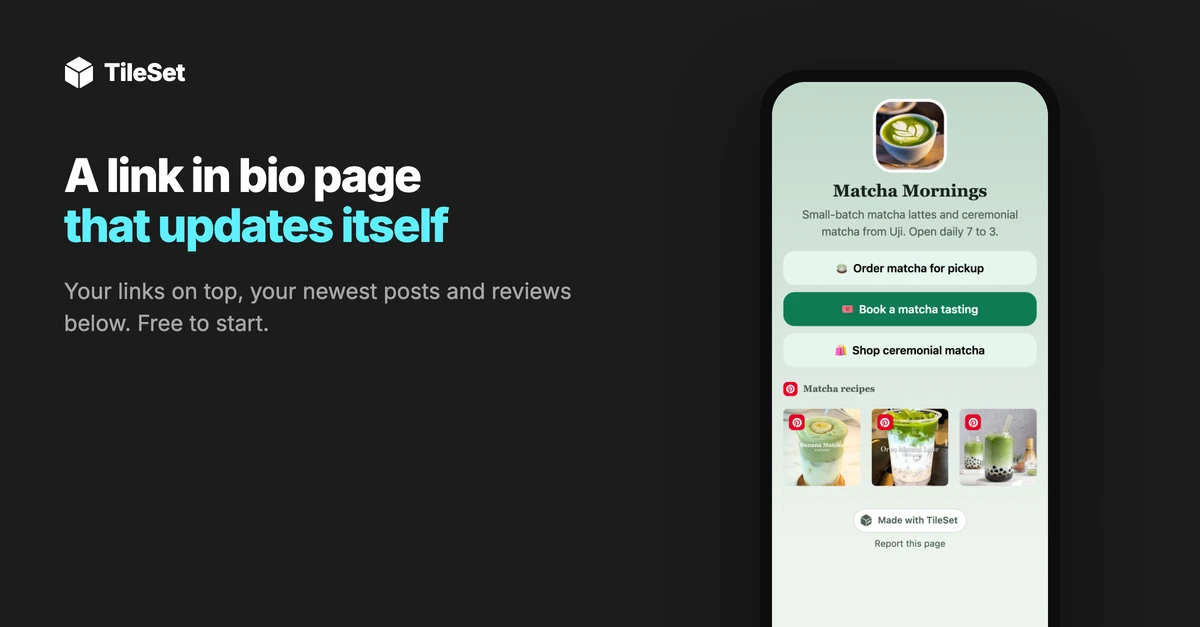
A link in bio page gives the one link in your Instagram, TikTok or X profile somewhere useful to go: your shop, your booking page, and anything else you want people to find. With TileSet, your newest posts, videos and reviews also show up on that page by themselves, so it stays fresh without you having to update it every time you post.
I'm on the Smash Balloon team that builds TileSet, and to write this guide I built a page for a made-up matcha café called Matcha Mornings. I'll show you exactly how I set it up, which parts are worth adding, and how to share the page once it's done.
What is a link in bio page?
A link in bio page is a simple one-page site made for the link spot in your social profile. Social profiles only have room for a link or two, so instead of choosing between your shop, your menu and your latest offer, you link to one page that holds them all.
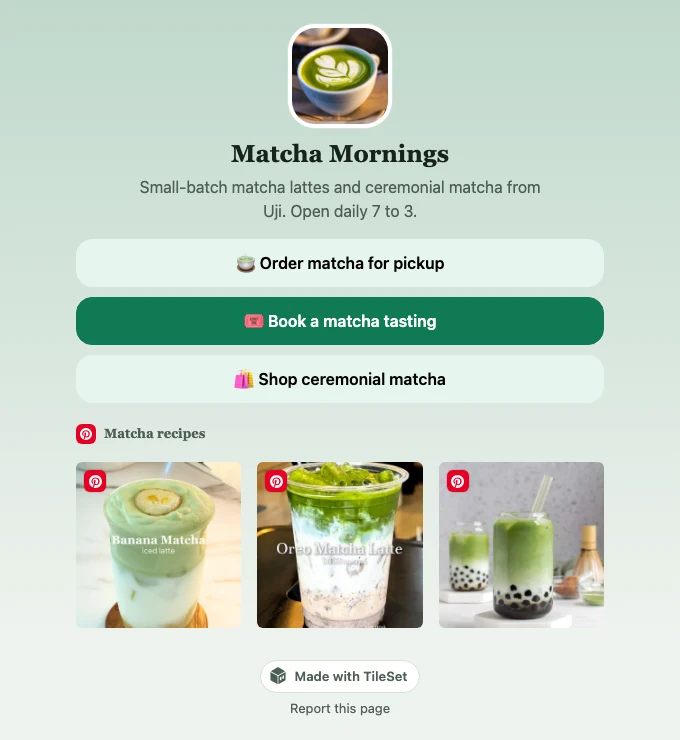
TileSet's version, called Link in bio, adds something extra: blocks that pull in your newest content from the accounts you've connected. Your links sit at the top, and your latest Pinterest pins, YouTube videos, posts or Google reviews fill in below. When you post something new, the page picks it up on its own.
Here's the finished Matcha Mornings page I made for this guide, so you can see where we're headed:
What you get on the free plan
The free plan is a real starting point, not a trial. It includes:
- One Link in bio page, with every block, theme, font and button style
- A QR code you can print on a menu, a flyer or a shop window
- Clicks and views for the last 7 days, so you can see which links people tap
- No credits used. TileSet credits pay for fetching new content from places like Google or YouTube. Your page only shows what your connected accounts have already fetched, so it doesn't use any credits of its own.
On the free plan, TileSet gives your page a short address of its own, like app.tileset.com/@k7m2qx. If you'd like your own name in the address, that comes with the Starter plan, along with a few other extras I cover further down.
How to make your link in bio page
You'll need a free TileSet account. If you'd like your newest posts or reviews on the page, connect those accounts first under Sources. A source is simply where your content comes from, like a Pinterest board, a YouTube channel or your Google reviews.
Step 1: Open Link in bio
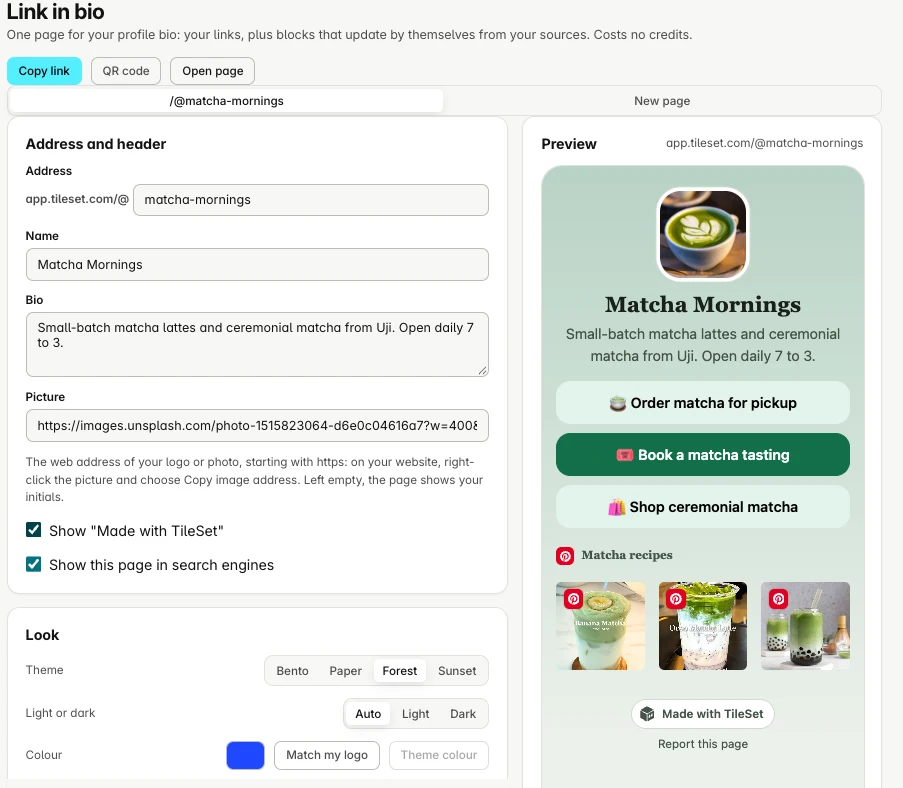
Sign in to TileSet and click Link in bio in the sidebar. You'll see the editor on the left and a live preview of your page on the right, which updates as you type.
Step 2: Add your name, bio and picture
Fill in your Name, a short Bio and a Picture. For the picture, TileSet asks for the web address of an image. The easiest way to get one is to right-click your logo on your own website and choose Copy image address.
For Matcha Mornings, I wrote "Small-batch matcha lattes and ceremonial matcha from Uji. Open daily 7 to 3." Keep yours short. It's the first thing people read, so it works best when it says what you do and when or where to find you.
Step 3: Add your link buttons
Link buttons are the main part of the page. Each one has your own words, an optional emoji or small picture at the start, and the web address it opens. I added three:
- 🍵 Order matcha for pickup
- 🎟️ Book a matcha tasting
- 🛍️ Shop ceremonial matcha
Each button can also have its own colour, which is handy for drawing attention to the one thing you most want people to tap. On my page, the tasting button stands out in dark green.
Step 4: Add a block that updates itself
This is the part that makes the page feel alive. Below your links, you can add blocks that show content from your connected sources:
- Latest posts: your newest 3 to 12 posts from a source, as a grid or a row people can swipe
- Newest post as a card: your latest post, video or episode shown large, with a "New" tag for the first few days
- Reviews: your star rating and one recent review from Google or your testimonials, with a different review taking its turn every hour
- Upcoming events: the next events from a calendar, which hides itself when nothing is coming up
- Social icons: round icons that link to your other profiles
For Matcha Mornings, I made a public Pinterest board of matcha recipes, connected it as a source, and added it as a Latest posts block. Now every pin I save to that board shows up on the page by itself, as soon as TileSet next checks the board.
Step 5: Choose your look
Under Look, pick one of four themes: Bento, Paper, Forest or Sunset. Each one works in light or dark mode, and Auto follows whatever each visitor's phone is set to. You can also choose a font style, button shape, corners and spacing.
I went with Forest, because its soft greens sat nicely with the matcha photo and the green drinks in the Pinterest block. You don't need to worry about colours clashing, either. TileSet adjusts them where needed so your words stay easy to read.
Step 6: Publish and share it
Press Publish page, then Copy link and paste it into the bio of your Instagram, TikTok, X or any other profile. Changes you make later show up within a minute, so you can keep tweaking it after it's live.
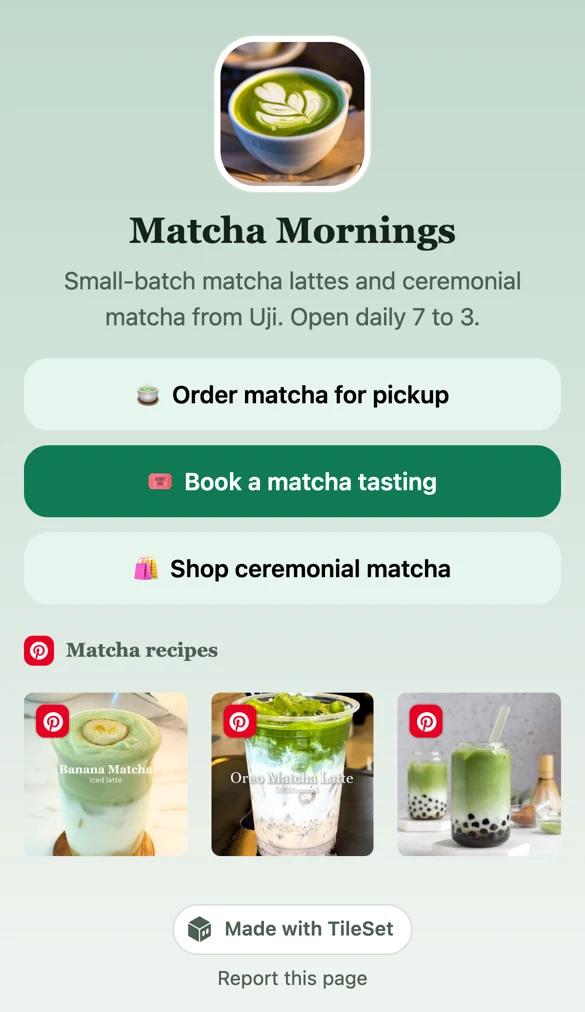
Here's how Matcha Mornings looks on a phone, which is where most people will see it:
Want a page like this for your own business? Start free with TileSet.
Use the QR code to bring people from the real world
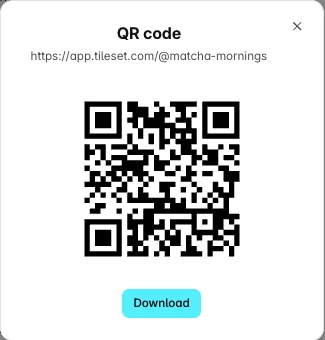
Next to Copy link, the QR code button gives you a code for your page that you can download. It's a nice way to connect your physical space to everything online. Print it on a menu, a receipt, a flyer or a sticker by the till, and anyone who scans it lands on your page with your links and newest posts.
Free plan or Starter?
The free plan has everything you need to build and share a great page. Starter, at $9 a month, is worth it once the page is part of how you run your business:
| Free | Starter and up | |
|---|---|---|
| Pages | 1 | Up to 10 |
| Address | One TileSet picks, like app.tileset.com/@k7m2qx | Your own, like app.tileset.com/@your-name |
| Every block, theme, font and the QR code | Yes | Yes |
| Your own brand colour and a picture background | No | Yes |
| Links that appear and disappear on a schedule | No | Yes |
| Clicks and views | Last 7 days | Last 7, 30 or 90 days |
| The small "Made with TileSet" line | Shown | Can be hidden |
| Can be found on Google | No | Yes |
Scheduled links are one of my favourite Starter features. You can set a button to appear on a date and disappear on another, which is perfect for a holiday order form or a weekend pop-up. Joel explains it in his post on scheduled links.
Let your AI assistant build it
If you've connected TileSet to an AI assistant like Claude or ChatGPT, you can describe the page in a sentence and it does the setup for you. For example: "Make me a TileSet Link in bio page with my shop link and my latest YouTube videos." It can also change the look and add blocks later. Here's how to connect an AI agent.
Frequently asked questions
Is TileSet's link in bio page free?
Yes. The free plan includes one Link in bio page with every block, theme and the QR code, and it doesn't ask for a credit card. Starter, at $9 a month, adds your own address, more pages and a few extra features.
Does a link in bio page use credits?
No. Your page shows content that your connected sources have already fetched, so it never uses credits of its own. Visits to your page also count as views of those sources, which keeps them updating.
Can I use my own name in the address?
Yes, on Starter and up. You can pick an address like app.tileset.com/@your-name, using 3 to 30 lowercase letters, numbers or hyphens. On the free plan, TileSet gives your page a short address of its own.
Will my link in bio page show up on Google?
Pages on Starter and up can be found by search engines, and you can switch that off if you'd rather keep yours private. Free pages aren't listed by search engines, which stops spam pages from using TileSet's address.
How do I add my link in bio page to Instagram or TikTok?
Press Copy link in TileSet, then open your profile's edit screen in the app and paste the link into the link or website field.
Can I see how many people click my links?
Yes. Under the editor, Clicks and views shows how many times your page was opened and how many times each button was tapped. The free plan shows the last 7 days, and Starter and up add 30 and 90 days.
Make your link in bio page today
Building a link in bio page takes a few minutes, and once it's live, your newest posts keep it fresh for you. You can build and share the whole thing on the free plan, and see an example of a finished page here.